Google Maps Review Scraper
Batch-scrape Google Maps reviews in Chrome
Stop endless scrolling. GMB Audit Tool opens the reviews page, auto-scrolls up to 800 Google Business Profile reviews, and builds rating charts plus a full list for client reports.

Manual review pulls waste hours every month
Understanding sentiment, star mix, and Local Guide weight usually means endless scrolling on Google Maps. A Google Maps review scraper built for local SEO captures the reviews once and turns them into charts and a report-ready list.
What you get
- Auto-scroll scrape of up to 800 Google reviews per run
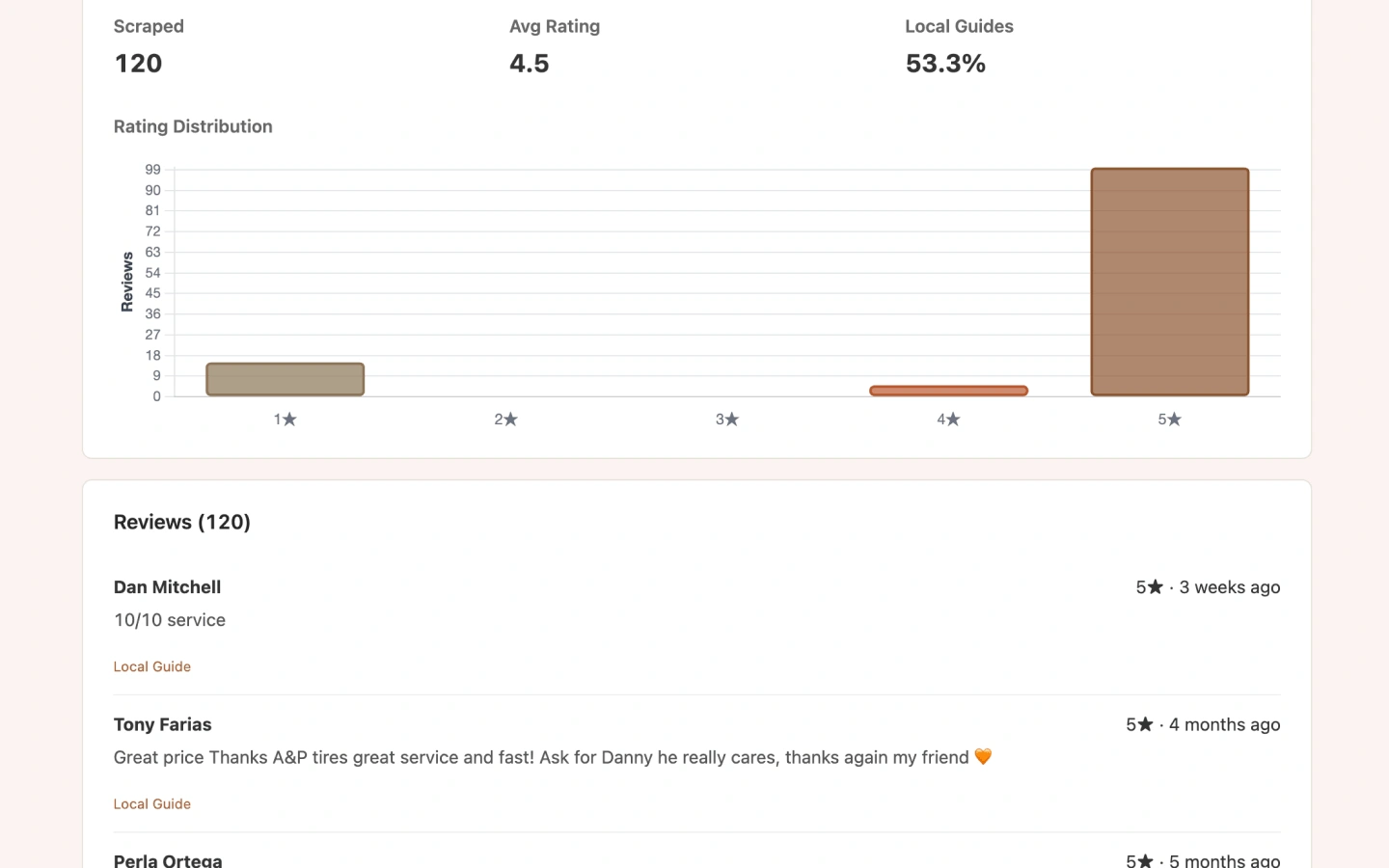
- Average rating and 1–5 star distribution chart
- Local Guide percentage across collected reviews
- Full list with author, stars, date, body text, and Local Guide flags
Use cases
Reputation reporting
Show clients star mix and Local Guide weight without hours of manual scrolling or spreadsheet copy-paste.
Response prioritization
Spot clusters of 1–2 star reviews before outreach and reply workflows.
Competitor review sampling
Run the same scrape on rival listings to compare volume, star mix, and recent themes.
How it works
Open a Google Business Profile
From Google Maps, Search Local Pack, or Local Finder, open the listing you want to audit.
Click Review on the audit bar
GMB Audit Tool injects audit buttons—choose Review to start the scrape.
Stay on the scrape tab
The extension opens the reviews page and scrolls automatically (up to 800 reviews).
Open the dashboard report
See rating charts, Local Guide share, and the full review list when scraping finishes.
Report preview
Companion free extensions
After you scrape and analyze existing reviews, use these free Maps companions to grab Place IDs and collect new Google reviews—without digging through URLs.
Place ID Finder for Google Maps
One click on Maps to copy Place ID and CID—handy before review links, QR codes, or GBP tooling.
Google Review Link Generator for Maps
Generate a writereview link and printable QR from any Maps listing—collect new reviews after you analyze existing ones.
Limits & Pro
- Maximum 800 reviews per scrape run.
- Free: 5 report views/day. Pro: unlimited report views.
- Reviews are read from Google in your browser session—not uploaded to our servers for analysis.
Google Maps review scraper FAQ
Is this a Google Maps review scraper API?
No. Review scraping runs inside your Chrome browser through GMB Audit Tool on listings you open. It is built for local SEO reports—not a developer bulk API like Apify or Outscraper.
How many Google reviews can I scrape per run?
Up to 800 reviews per Review Audit run. Free includes up to 5 report views per day; Pro unlocks unlimited report views.
What analysis do I get after scraping?
Scraped count, average rating, 1–5 star distribution, Local Guide percentage, and a full review list with author, stars, date, and text.
How is this different from Review Audit?
This page explains the Google Maps review scraper workflow for SEO searchers. Review Audit is the in-product feature page with checks, limits, and suite context. Both use the same Chrome extension action.
Do you upload review data to your servers?
Reviews are read from Google in your browser session. Reports are stored locally in the extension. Account and billing data for Pro are handled by ExtensionsFox—see our Privacy Policy.
Scrape Google Maps reviews in your browser
Install GMB Audit Tool, open a listing, and run Review Audit—batch scrape up to 800 reviews with charts ready for local SEO delivery.