Review Audit
Stop scrolling reviews by hand
Review Audit opens the Google reviews page, scrolls automatically, and builds stats plus a full list you can use in client reports.

Manual review pulls waste hours every month
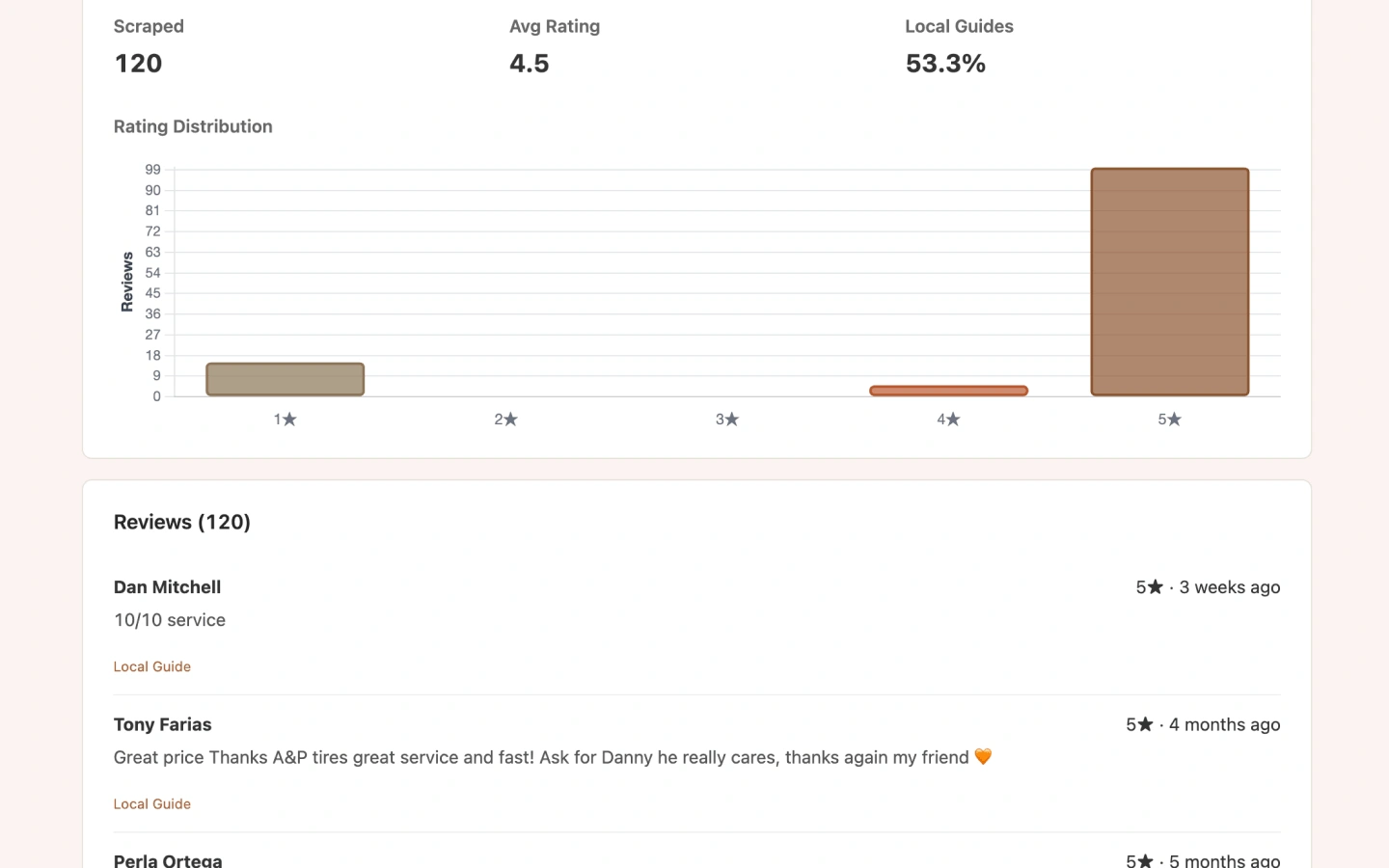
Understanding sentiment, star mix, and Local Guide weight usually means endless scrolling. Review Audit captures up to 800 reviews and visualizes the distribution.
What you get
- Scraped review count and average rating
- 1–5 star rating distribution chart
- Local Guide percentage
- Author, stars, date, body text, and Local Guide flags per review
Review report highlights
Volume & average
How many reviews were collected and the average star rating.
Rating distribution
Bar chart across 1–5 stars for quick health checks.
Local Guides
Share of reviews from Local Guide accounts.
Full list
Scrollable review table for sampling positive and negative themes.
Report preview
Use cases
Reputation reporting
Show clients star mix and Local Guide weight without manual exports.
Response prioritization
Spot clusters of 1–2 star reviews before outreach.
Competitor reviews
Run Review Audit on rival listings during Local Scan research.
How to run Review Audit
Open the listing
From Maps, Search, or Local Finder, click Review on the injected audit buttons.
Stay on the scrape tab
The extension opens the reviews page and scrolls (up to 800 reviews).
Open the dashboard
Review charts and the full list when scraping finishes.
Limits & Pro
- Maximum 800 reviews per run.
- Free: 5 report views/day. Pro: unlimited.
- Reviews are read from Google in your browser session—not uploaded to our servers for analysis.
Review Audit FAQ
Is there a pass/fail score?
No. Review Audit focuses on statistics and the review list so you can judge reputation yourself.
Why stop at 800 reviews?
A hard cap keeps scraping reliable and responsive. For most local businesses, 800 covers recent and historical signal.
Can I export CSV?
Use the dashboard list and copy workflows for reporting. Check the extension for export options available in your build.
Where can I learn about batch scraping Google Maps reviews?
See our Google Maps Review Scraper guide at /google-maps-review-scraper for workflow, use cases, and how Review Audit differs from API scrapers.
Run Review Audit in your browser
Install GMB Audit Tool and audit Google Business Profiles on Maps, Search, and Local Finder—starting with Review Audit.