Post Audit
Quantify the posting strategy on a GBP
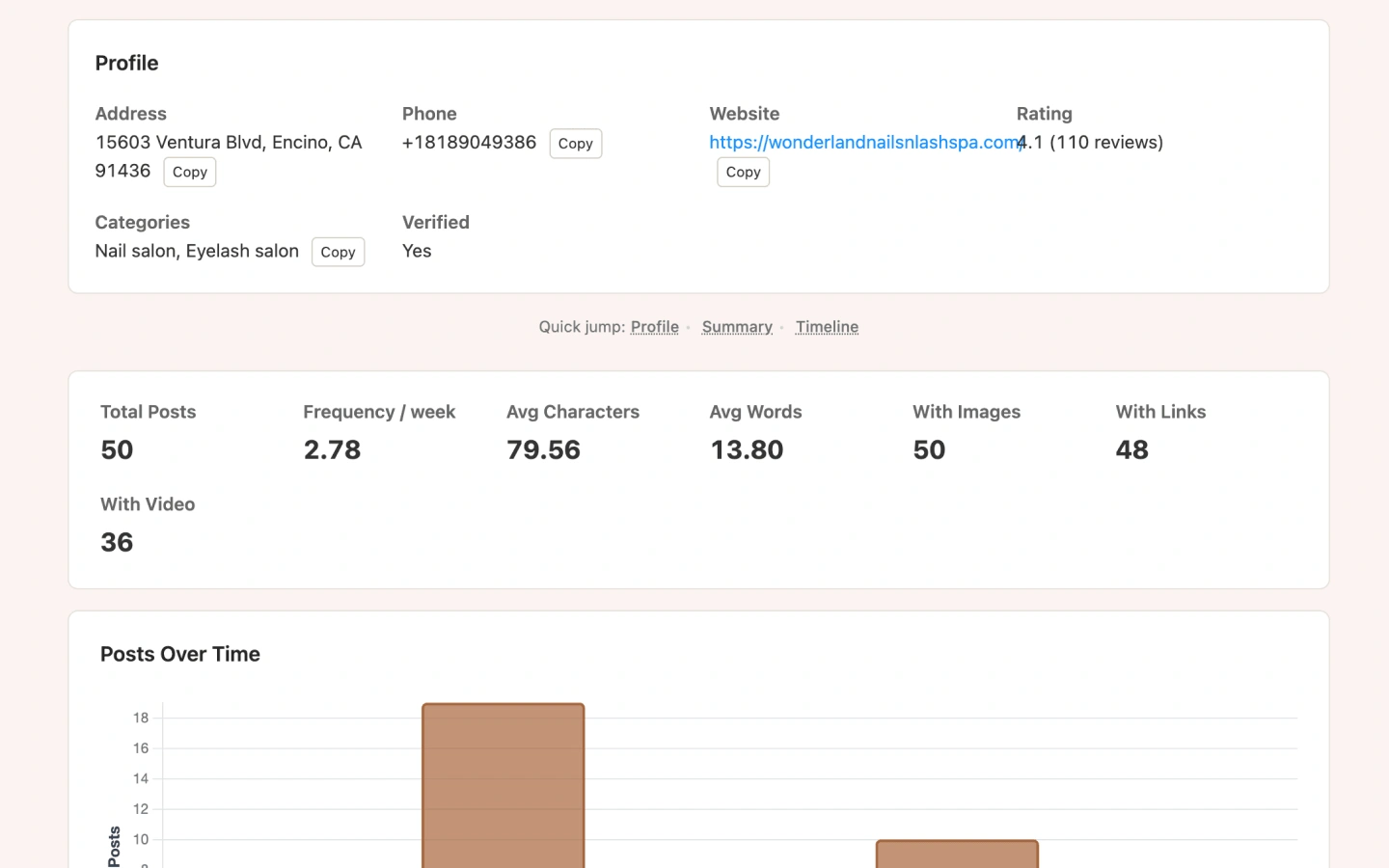
Post Audit scrapes Google posts, calculates posts per week, content length, and media mix, then plots activity over time.

“We post regularly” is hard to prove without data
Clients and competitors claim active posting, but Maps makes history tedious to measure. Post Audit turns posts into frequency and content metrics.
What you get
- Total posts scraped (up to 50)
- Frequency per week based on first-to-last post span
- Average characters and words
- Counts with images, links, and video
- Posts-over-time monthly chart
Post strategy metrics
Frequency
Posts per week across the scraped window.
Length
Average characters and words per post.
Media mix
How often posts include images, links, or video.
Timeline
Monthly activity chart for consistency checks.
Report preview
Use cases
Content retainers
Baseline cadence before recommending a posting calendar.
Competitive intel
Compare how often top Local Pack rivals publish.
Client education
Show gaps when a profile went quiet for months.
How to run Post Audit
Click Post on the listing
Works from Maps, Search, or Local Finder audit buttons.
Wait for the posts page
The extension opens Google posts and scrolls up to 50 items.
Review frequency charts
Open the Post Audit dashboard for stats and the timeline.
Limits & Pro
- Maximum 50 posts per audit.
- Free: 5 report views/day. Pro: unlimited.
- Requires a listing with a Knowledge Graph ID so posts can be opened.
Post Audit FAQ
How is frequency calculated?
Posts per week uses the span between the oldest and newest scraped posts, then divides total posts by that span.
What if the business has no posts?
The report will show zero activity—useful proof when recommending a posting plan.
Does Post Audit write posts for me?
No. It analyzes existing Google posts so you can plan strategy yourself.
Run Post Audit in your browser
Install GMB Audit Tool and audit Google Business Profiles on Maps, Search, and Local Finder—starting with Post Audit.