Local Scan
Analyze your competition in one local search
Local Scan collects businesses from Maps, Search Local Pack, or Local Finder, fetches profiles, and opens a seven-tab competitor dashboard.
Competitor research should not mean opening 20 tabs
Agencies need to see which rivals use which categories, how many reviews they have, and who ranks without a full address. Local Scan builds that matrix from one search.
What you get
- Up to 22 businesses with search rank and keyword
- Categories tab: primary/secondary and rank vs category count
- Services, reviews, location map, hours patterns, attributes, misc completeness
- Filterable stats and rank charts across tabs
Seven analysis tabs
Categories
Category counts, primary/secondary mix, rank vs category charts.
Services
Service lists grouped by primary category.
Reviews
Ratings, review counts, zero-review businesses, rank charts.
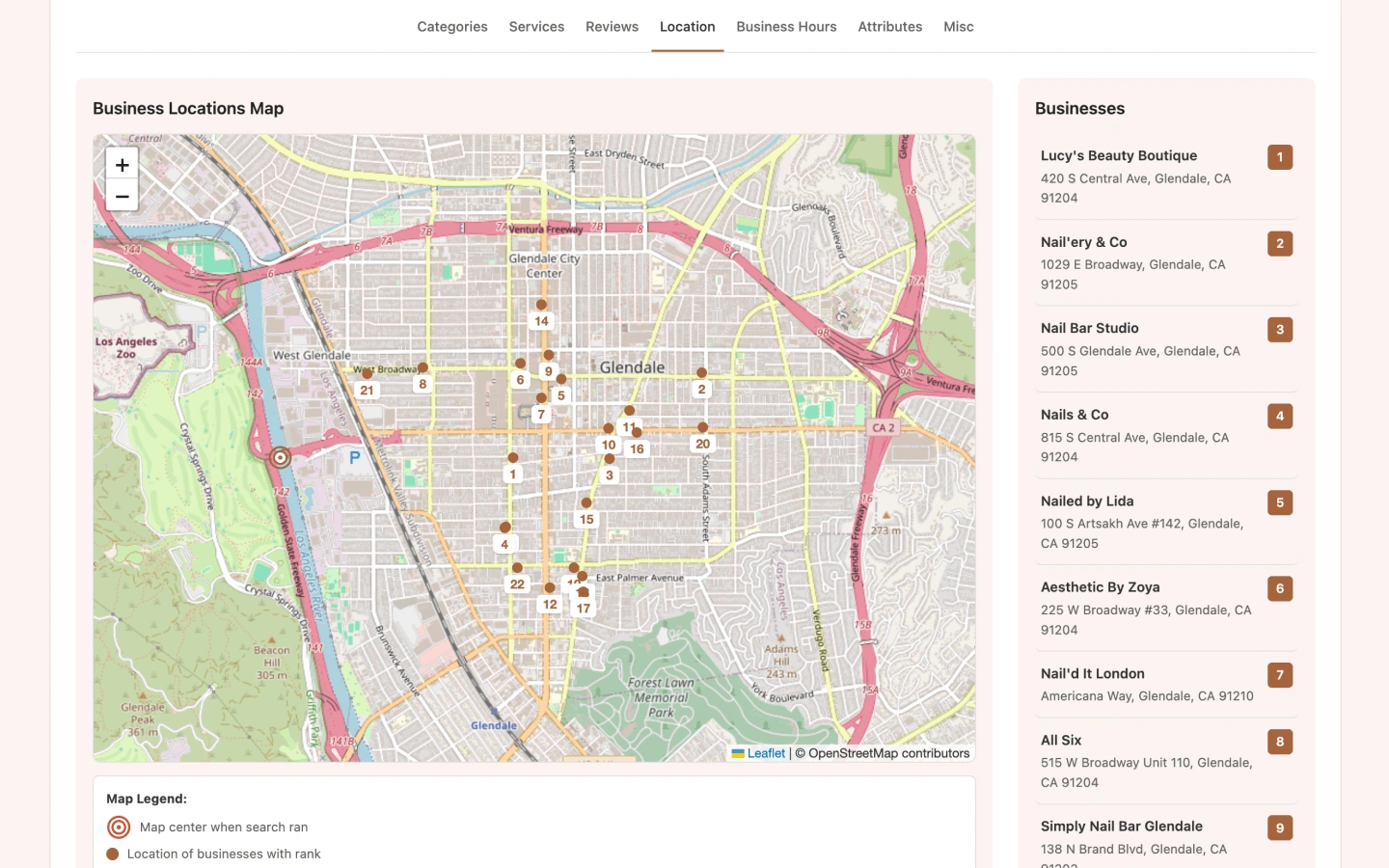
Location
Map pins, addresses, and service-area (SAB) detection.
Business hours
Day filters, 24h / closed / missing hours patterns.
Attributes
Attribute counts and group distributions.
Misc
Website, phone, booking, full address, and claimable profile rates.
Report preview
Use cases
Pitch decks
Show a prospect where they sit vs the Local Pack in one scan.
Category strategy
See which primary and secondary categories winners use.
Gap finding
Spot rivals with weak hours, no website, or thin attributes.
How to run Local Scan
Search a local keyword
Use Google Maps, Local Pack on Search, or Local Finder.
Click Local Scan
The header button compares all GBP profiles in the results (up to 22).
Explore the seven tabs
Filter stats and charts in the Local Scan dashboard.
Limits & Pro
- Maximum 22 businesses per Local Scan.
- Free: 5 report views/day. Pro: unlimited.
- Profile feature score (0–5) counts website, phone, booking, full address, and claimable status.
Local Scan FAQ
What sources does Local Scan support?
Google Maps search results, Google Search Local Pack, and Local Finder result lists.
Is rank the same as Maps pack position?
Rank reflects order in the scanned results for that keyword and source. Always note the search term and location you used.
Can I filter to businesses without websites?
Yes. Use Misc and other tab filters in the dashboard to isolate profile gaps.
Run Local Scan in your browser
Install GMB Audit Tool and audit Google Business Profiles on Maps, Search, and Local Finder—starting with Local Scan.